|
|
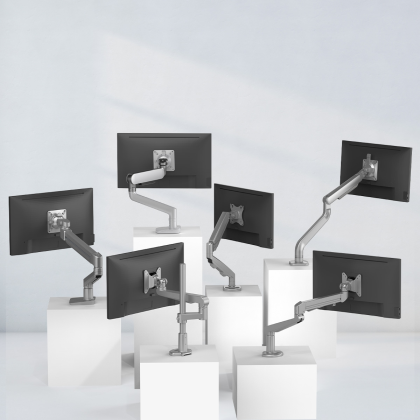
Abstract This article delves into the advanced design features and functionality of monitor arms. In the modern workspace, monitor arms have become an essential component for optimizing ergonomics and workspace efficiency. By analyzing the mechanical structure, adjustability mechanisms, and load - bearing capacity of monitor arms, we can better understand how they contribute to a more comfortable and productive working environment. 1. Introduction In recent years, with the increasing prevalence of multi - monitor setups in offices, home offices, and even in some entertainment setups, the role of monitor arms has become more crucial. A monitor arm is a device that attaches to a desk, wall, or other surfaces and holds a monitor, allowing for easy adjustment of the monitor's position. 2. Mechanical Structure 2.1 Joint Design Monitor arms typically have multiple joints. The most common ones are the swivel joint, tilt joint, and height - adjustment joint. The swivel joint enables the monitor to rotate horizontally, usually up to 360 degrees. This is extremely useful for sharing content between colleagues or quickly switching between different work tasks that require different viewing angles. The tilt joint allows the monitor to be tilted up or down, which helps in reducing glare from overhead lights and also in finding the most comfortable viewing angle for the user's eyes. For example, a user who is sitting at a desk for long hours may find that tilting the monitor slightly downwards reduces neck strain. 2.2 Arm Extension and Retraction Some high - end monitor arms come with telescoping arms. These arms can be extended and retracted, which is beneficial in various scenarios. In a shared workspace, when a user needs to move the monitor closer for more detailed work or further away to share the screen with a group, the telescoping arm provides the necessary flexibility. 3. Adjustability Mechanisms 3.1 Gas Spring Technology One of the most popular adjustability mechanisms in monitor arms is the gas spring. Gas springs use compressed gas to counterbalance the weight of the monitor, allowing for smooth and easy adjustment of the monitor's position. With a gas spring - based monitor arm, a user can effortlessly raise or lower the monitor with just a gentle push or pull. This technology also ensures that the monitor stays in the desired position without any unwanted drifting. 3.2 Manual vs. Electric Adjustment Manual adjustment monitor arms are more common and cost - effective. They rely on the user to physically move the joints to adjust the position of the monitor. Electric adjustment monitor arms, on the other hand, use motors to control the movement of the joints. These are more convenient, especially for users who need to frequently change the monitor's position. For example, in a call center where agents need to quickly switch between different monitor heights for different tasks, electric adjustment monitor arms can save a significant amount of time. 4. Load - Bearing Capacity The load - bearing capacity of a monitor arm is a critical factor. It determines the maximum weight of the monitor that the arm can support. Different monitor arms have different load - bearing capacities, ranging from lightweight monitors (around 5 - 10 kg) to heavy - duty ones (up to 20 kg or more). When choosing a monitor arm, it is essential to consider the weight of the monitor. If the monitor is too heavy for the arm, it may not function properly, and there could be a risk of the monitor falling off. 5. Conclusion The advanced design and functionality of monitor arms play a significant role in enhancing the modern workspace. With their various joints, adjustability mechanisms, and load - bearing capabilities, monitor arms provide users with the flexibility and comfort they need to work efficiently. As technology continues to evolve, we can expect even more innovative features in monitor arms, further improving the user experience. |